- Role
- Full Stack Developer
- Platform
- Web (installable PWA)
- Type
- Web Platform (SaaS)
Overview
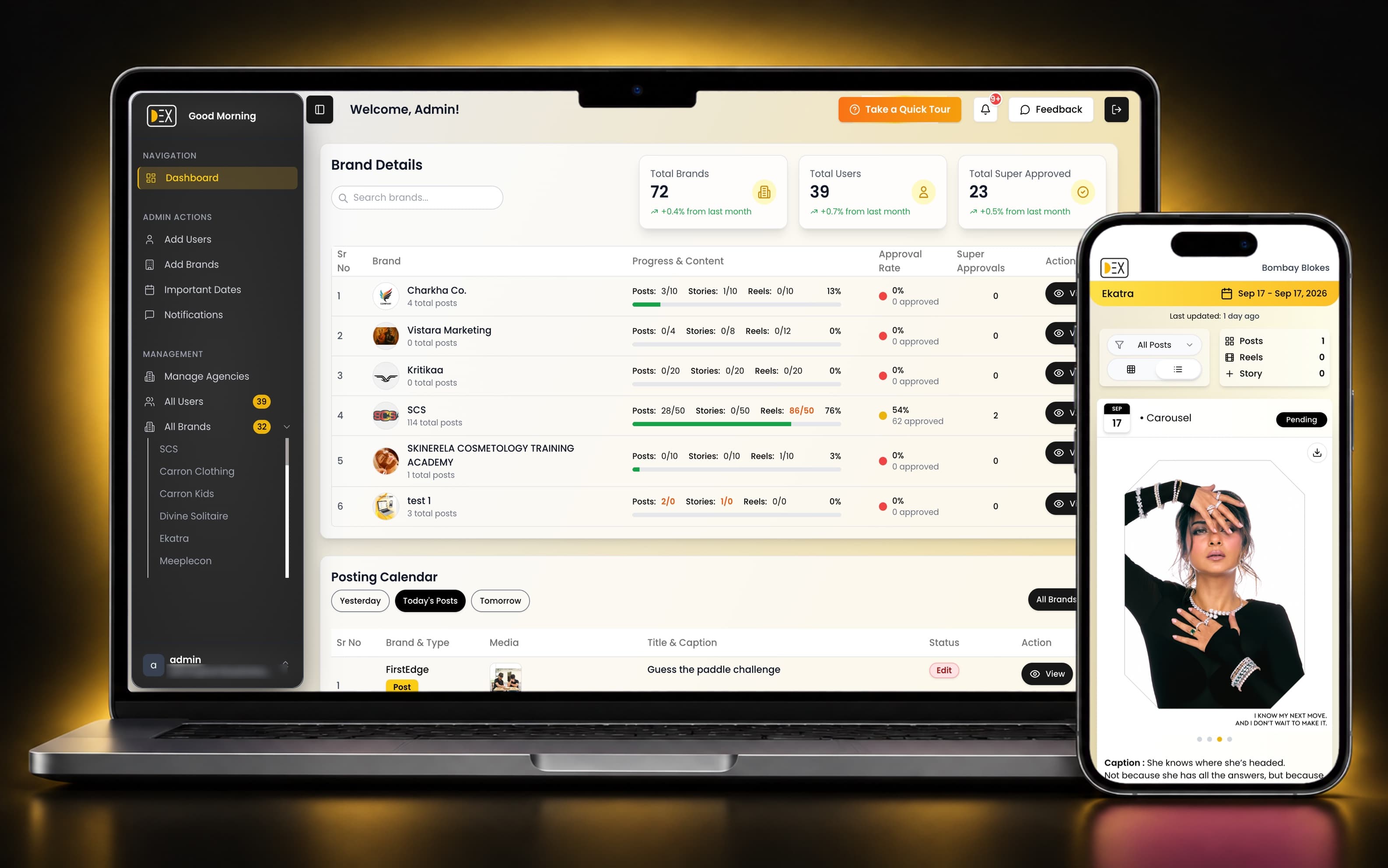
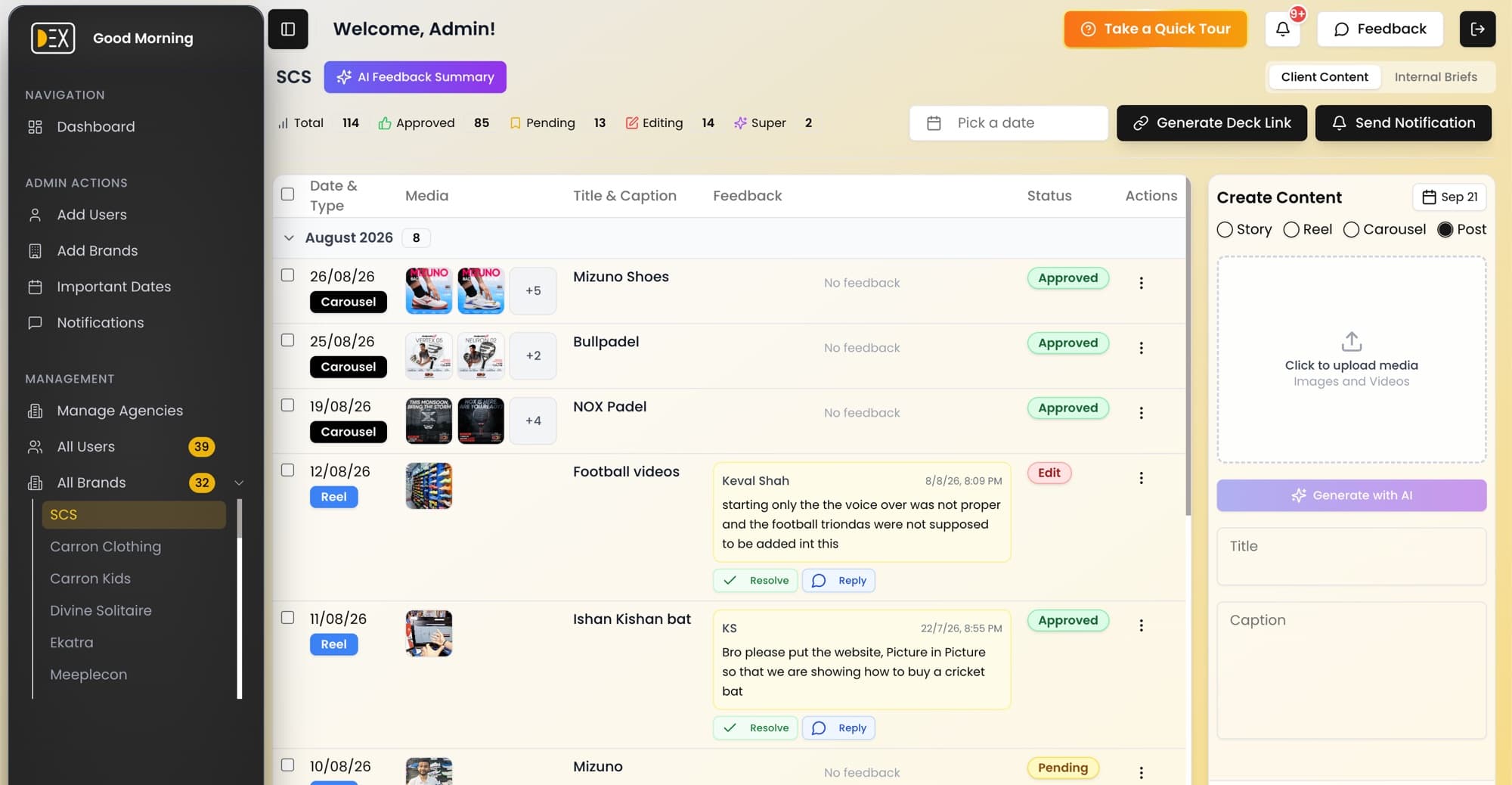
DEX is a web app for social media agencies and freelancers. Team members upload planned Instagram-style posts (images, videos, reels, carousels and stories) for each client brand. The client opens a shared link, reviews the posts the way they would look on Instagram, then approves them or leaves feedback. It also includes team roles, subscription billing, notifications and dashboards.
The problem
Agencies often send content to clients as slide decks or PDFs and then chase approvals over chat. DEX replaces that with a single link where clients preview posts, comment and approve without creating an account.

What I built
- 01No-login client review page that shows posts, reels and stories as they would look on Instagram, in list and grid views
- 02Per-post approval workflow: Pending, Approved, Super Approved or Edit requested, with threaded feedback that can be resolved
- 03Internal briefs workflow with statuses, and one-click publishing into the client content calendar
- 04Multi-brand, multi-agency workspace with team invites, roles and per-brand assignment
- 05AI assistant that drafts a post title and caption from the uploaded image or video, and summarises client feedback into action items
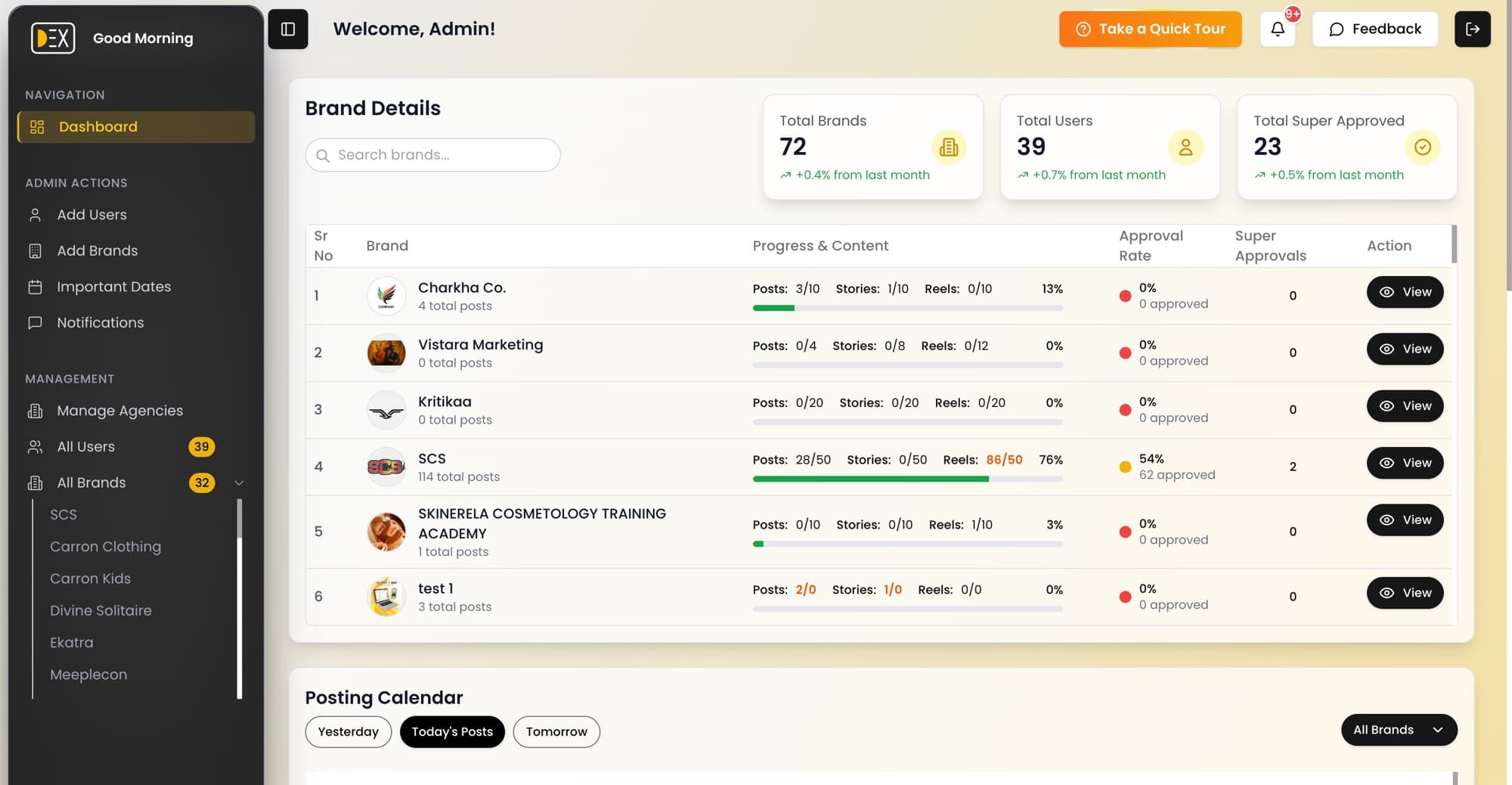
- 06Dashboards with charts of content status and activity, with separate admin and team views
- 07Posting calendar, announcements, in-app notification centre and browser push notifications
- 08Subscription plans with enforced limits on brands, posts, admins and users
- 09Installable on phones as a PWA, with guided in-app tours
Who uses it
Super Admin
Sees and manages every agency, brand and user across the platform.
Admin
Runs an agency: creates brands, invites team members, sends announcements, views dashboards and manages billing and plan.
Editor
Works on assigned brands: adds and edits client content, reviews creator briefs, publishes them to the content calendar and generates client review links.
Creator
Designers and video editors get a simplified view of assigned brands, focused on the briefs they upload creative for.
Client
No account needed. Opens a shared link, enters their name, then approves or requests edits on each post with written feedback.
Key flows
- Admin signs up with an email verification code
- Gets a 30-day free trial
- Creates brands
- Invites team members by email
- Editor writes a brief
- Creator uploads the creative
- Editor or Admin publishes it to the client calendar
- Team uploads media to a brand
- Shares a review link
- Client approves or requests edits
- Team is notified
- Admin picks a paid plan
- Pays through Razorpay
- Plan and limits update automatically
- Confirmation email is sent
How it's built
One Next.js codebase covers the marketing site, the logged-in dashboard and the public client review pages, backed by around 30 API routes. Firebase provides logins, the database and file storage, and the app installs on phones as a PWA.
- Roles and agencies in one database
- Every record carries an agency ID. Access is checked as super admin, admin of the same agency, or a user assigned to the brand, and editor and creator views are limited to their own brands.
- Payments that survive a closed browser
- A signed Razorpay webhook confirms payments independently of the browser: it verifies the signature, updates the plan, logs the payment and emails a receipt. Cancel, pause and resume have their own endpoints.
- Plan limits across trial, paid and cancelled
- One module works out an agency's effective plan on every check, and the same logic backs the API and the UI. If the check itself fails, the action is denied.
- Large video uploads
- Files upload straight to Firebase Storage with live progress, then Mux processes them for streaming. Failed processing cleans up the stored file, and the player retries failed loads.
- AI that describes the real content
- Captions are generated from the image, or from thumbnails at three points in a video, with output constrained to a typed schema. A second endpoint turns client feedback into prioritised action items.
- Live feedback notifications
- Firestore listeners turn new client feedback into notifications for the brand's assigned users, skipping the initial page load and the user's own comments.
Integrations
- Firebase
- Logins, the main database with live updates, and media storage.
- Mux
- Processing and streaming videos, and thumbnails for the AI.
- Razorpay
- Subscription plans, payment links and signed webhook confirmation.
- OneSignal
- Browser push notifications and transactional emails such as invites and payment confirmations.
- Vercel AI SDK + AI Gateway
- Generating post titles and captions, and summarising feedback.
- React Email
- HTML email templates for verification, invites and payments.
Tech stack
- Next.js
- React
- TypeScript
- Tailwind CSS
- shadcn/ui
- Firebase
- TanStack Query
- Zod
- Mux
- Razorpay
- OneSignal
- Vercel AI SDK
- Vercel